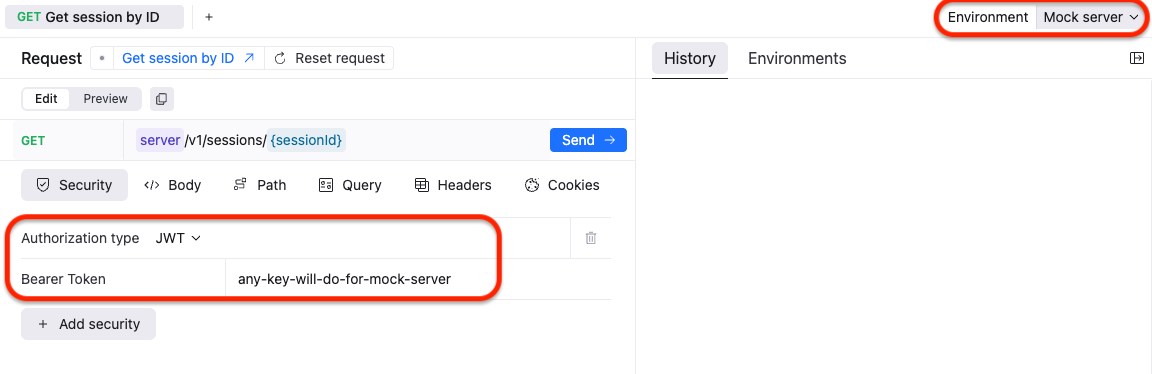
This guide explains how to use built-in Try It feature to test API endpoints during development.
Navigate to the API documentation for your project.
- In the Server dropdown (top right of the API docs), select the Mock Server option.
This allows you to test endpoints without calling the live backend.
Note: The mock server returns example responses defined in your OpenAPI specification.
- In the Security panel (top right), choose Authorization type:
- Select JWT from the dropdown.
- In the Bearer Token field, enter any placeholder value.
- For mock server testing, the token is not validated, so you can type anything (e.g.,
test-token).
- For mock server testing, the token is not validated, so you can type anything (e.g.,
- Open any endpoint in the documentation.
- Fill in any required parameters or request body fields.
- Click Try It.
- Review the mock server’s simulated response.
When ready to test against the live backend:
- Change the Server selection from Mock Server to your production or staging server URL.
- Provide a real JWT token obtained from the authentication process.